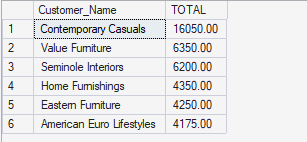
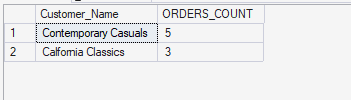
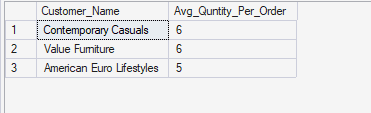
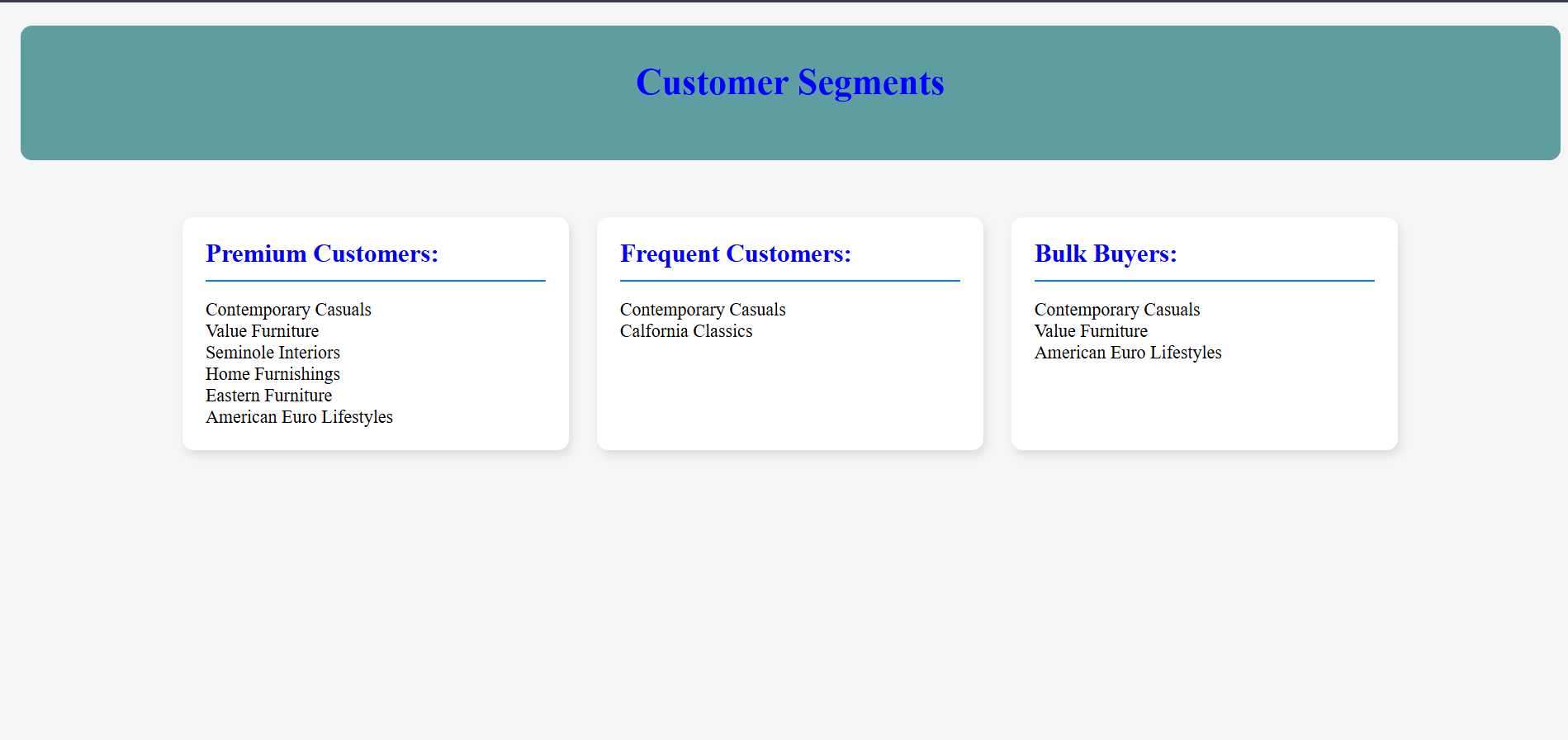
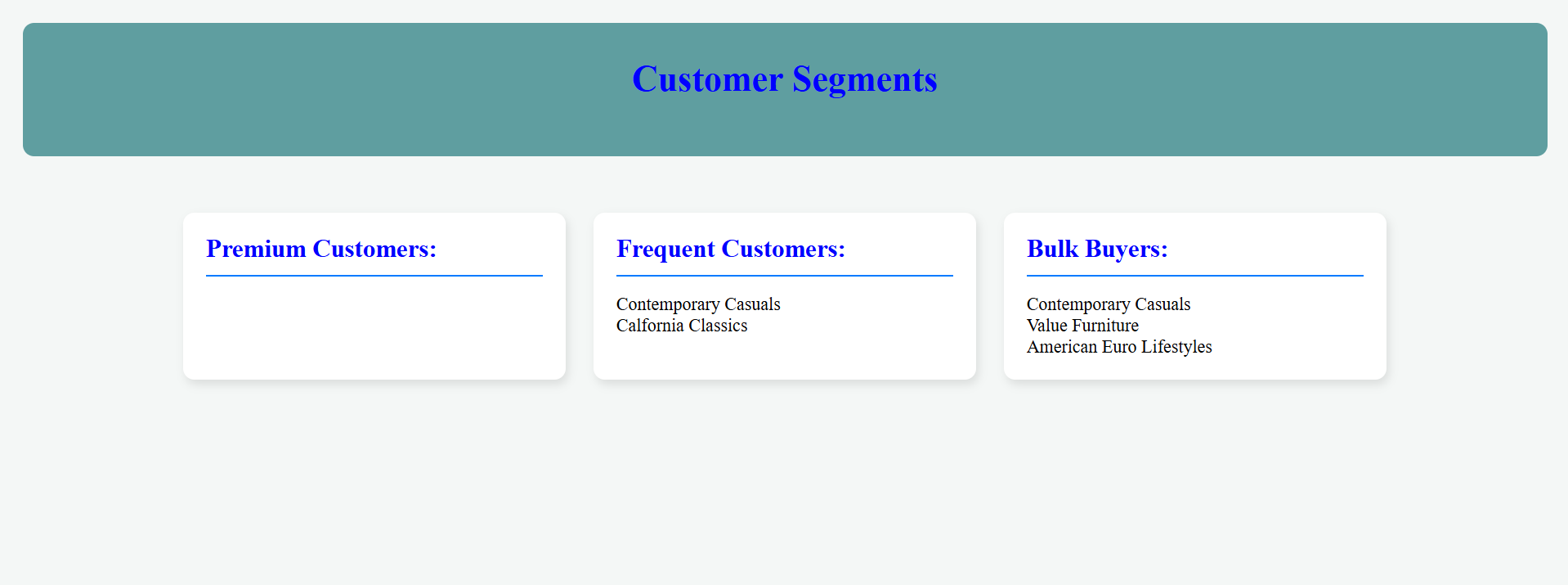
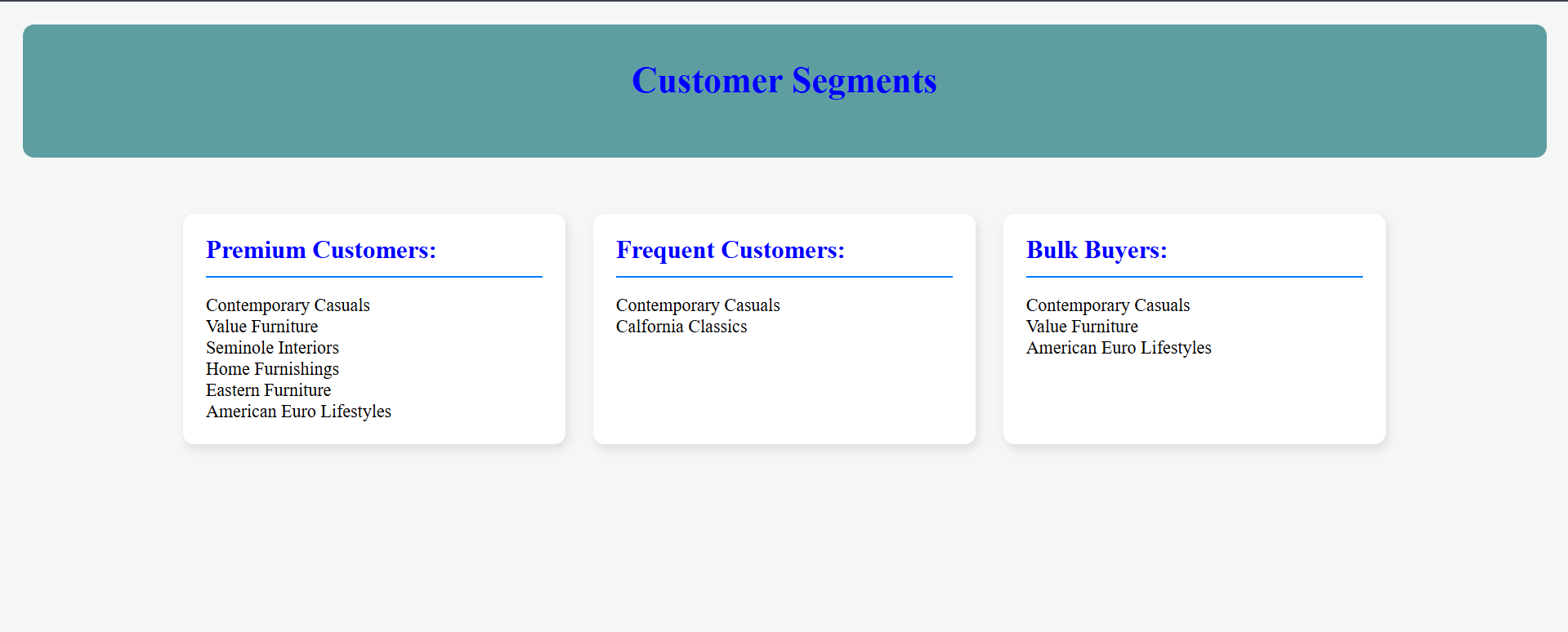
Create three seperate cards(div) for each of the customer segment and populate each card(div) with their respective data from the database response.
<%@ Page Language="VB" AutoEventWireup="false" CodeFile="Segmentation.aspx.vb" Inherits="_Default" %>

<!DOCTYPE html>

<html xmlns="http://www.w3.org/1999/xhtml">
<head runat="server">
    <title>Lab 07</title>
    <style>
        body{
            background-color: #f4f7f6;
            margin: 0;
            padding: 20px;
        }

        .main-container{
            padding-top:50px;
            display:flex;
            gap: 25px;
            justify-content: center;
            flex-wrap:wrap;
        }

        .List{
            list-style-type: none;
            padding-left: 0;
            margin: 0;
        }

        .List-box{
            background-color: #ffffff;
            border-radius: 10px;
            box-shadow: 2px 4px 8px rgba(0, 0, 0, 0.1);
            padding: 20px;
            width: 300px;
        }

        .List-box h1{
            font-size: 1.4rem;
            color: blue;
            margin-top: 0;
            padding-bottom: 10px;
            border-bottom: 2px solid #007bff;
        }

        .titleBar{
            background-color: cadetblue;
            color:blue;
            text-align: center;
            padding: 10px;
            border-radius: 10px;
        }
    </style>
</head>
<body>
    <form id="form1" runat="server">
        <div class="titleBar">
            <h1>Customer Segments</h1>
            <br />
        </div>

        <div class="main-container">
            <div class="List-box">
                <h1>Premium Customers: </h1>
                <asp:BulletedList ID="Premium" runat="server" CssClass="List"></asp:BulletedList>
            </div>

            <div class="List-box">
                <h1>Frequent Customers: </h1>
                <asp:BulletedList ID="Frequent" runat="server" CssClass="List"></asp:BulletedList>
            </div>

            <div class="List-box">
                <h1>Bulk Buyers: </h1>
                <asp:BulletedList ID="Bulk" runat="server" CssClass="List"></asp:BulletedList>
            </div>
        </div>
    </form>
</body>
</html>
Imports System.Data
Imports System.Data.SqlClient
Partial Class _Default
    Inherits System.Web.UI.Page

    Private Sub Premium_Customers()
        Dim conn As SqlConnection
        conn = New SqlConnection

        Dim constr As String
        constr = "Data Source=WIN-3G30IJDBABE\SQLEXPRESS;Integrated Security=True;Database=PVFC"

        conn.ConnectionString = constr

        Dim cmd As SqlCommand
        cmd = New SqlCommand

        cmd.Connection = conn

        cmd.CommandText = "SELECT Customer_Name,SUM(OL.Ordered_Quantity * P.Standard_Price) AS TOTAL "
        cmd.CommandText &= "FROM CUSTOMER_t C,ORDER_t O,Order_line_t OL,PRODUCT_t P "
        cmd.CommandText &= "WHERE C.Customer_Id = O.Customer_Id AND "
        cmd.CommandText &= "O.Order_Id = OL.Order_Id AND "
        cmd.CommandText &= "OL.Product_Id = P.Product_Id "
        cmd.CommandText &= "GROUP BY C.Customer_Name "
        cmd.CommandText &= "HAVING SUM(OL.Ordered_Quantity * P.Standard_Price) > 3000 "
        cmd.CommandText &= "Order by TOTAL DESC "


        Dim reader As SqlDataReader

        Try
            conn.Open()
            reader = cmd.ExecuteReader()

            While reader.Read()
                Dim name As String
                name = reader("Customer_Name")
                Premium.Items.Add(name)

                Premium.BorderStyle = BorderStyle.None

            End While


        Catch ex As Exception
            form1.InnerHtml = ex.Message
        Finally
            cmd.Dispose()
            conn.Close()
        End Try
    End Sub


    Private Sub Frequent_Customers()
        Dim conn As SqlConnection
        conn = New SqlConnection

        Dim constr As String
        constr = "Data Source=WIN-3G30IJDBABE\SQLEXPRESS;Integrated Security=True;Database=PVFC"

        conn.ConnectionString = constr

        Dim cmd As SqlCommand
        cmd = New SqlCommand

        cmd.Connection = conn

        cmd.CommandText = "SELECT Customer_Name, COUNT(Order_Id) AS ORDERS_COUNT "
        cmd.CommandText &= "FROM CUSTOMER_t C, ORDER_t O "
        cmd.CommandText &= "WHERE C.Customer_Id = O.Customer_Id "
        cmd.CommandText &= "GROUP BY C.Customer_Name "
        cmd.CommandText &= "HAVING COUNT(Order_Id) >= 3 "
        cmd.CommandText &= "ORDER BY COUNT(Order_Id) DESC "

        Dim reader As SqlDataReader

        Try
            conn.Open()
            reader = cmd.ExecuteReader()

            While reader.Read()
                Dim name As String
                name = reader("Customer_Name")
                Frequent.Items.Add(name)

                Frequent.BorderStyle = BorderStyle.None

            End While


        Catch ex As Exception
            form1.InnerHtml = ex.Message
        Finally
            cmd.Dispose()
            conn.Close()
        End Try
    End Sub


    Private Sub Bulk_Customers()
        Dim conn As SqlConnection
        conn = New SqlConnection

        Dim constr As String
        constr = "Data Source=WIN-3G30IJDBABE\SQLEXPRESS;Integrated Security=True;Database=PVFC"

        conn.ConnectionString = constr

        Dim cmd As SqlCommand
        cmd = New SqlCommand

        cmd.Connection = conn

        cmd.CommandText = "SELECT C.Customer_Name, AVG(Order_Totals.TOTAL_QUANTITY_PER_ORDER) AS Avg_Quntity_Per_Order "
        cmd.CommandText &= "FROM CUSTOMER_t C,( "
        cmd.CommandText &= "SELECT O.Customer_Id, O.Order_Id, SUM(OL.Ordered_Quantity) AS TOTAL_QUANTITY_PER_ORDER "
        cmd.CommandText &= "FROM ORDER_t O,Order_line_t OL "
        cmd.CommandText &= "WHERE O.Order_Id = OL.Order_Id "
        cmd.CommandText &= "GROUP BY O.Customer_Id,O.Order_Id ) Order_Totals "
        cmd.CommandText &= "WHERE C.Customer_Id = Order_Totals.Customer_Id "
        cmd.CommandText &= "GROUP BY C.Customer_Id,Customer_Name "
        cmd.CommandText &= "HAVING AVG(Order_Totals.TOTAL_QUANTITY_PER_ORDER) >= 5 "
        cmd.CommandText &= "ORDER BY Avg_Quntity_Per_Order DESC; "

        Dim reader As SqlDataReader

        Try
            conn.Open()
            reader = cmd.ExecuteReader()

            While reader.Read()
                Dim name As String
                name = reader("Customer_Name")
                Bulk.Items.Add(name)

                Bulk.BorderStyle = BorderStyle.None

            End While


        Catch ex As Exception
            form1.InnerHtml = ex.Message
        Finally
            cmd.Dispose()
            conn.Close()
        End Try
    End Sub

    Private Sub form1_Load(sender As Object, e As EventArgs) Handles form1.Load

        Premium_Customers()
        Frequent_Customers()
        Bulk_Customers()

    End Sub
End Class